 JumpBud
Doodle Reef – Draw a Fish and Watch It Swim
To play without the Safari address bar, tap Share, then Add to Home Screen. Turn on Open as Web App if shown, then launch JumpBud from your Home Screen.
Draw a fish with your finger, then tap Release to let it swim.
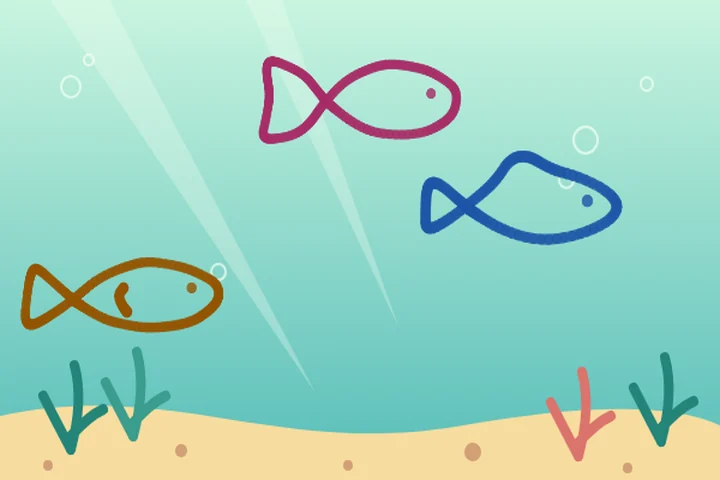
Doodle Reef is a free draw-a-fish game for your browser on a phone, tablet or computer. Sketch any shape on the pad with berry, blue or amber ink, tap Release, and your drawing swims into the reef. Up to 12 fish share the tank, and there is no timer or score.
Game info
- Developer
- JumpBud (original game)
- Genre
- Creative · Relaxing
- Last updated
- November 29, 2026
- Platforms
- Browser on desktop, mobile and tablet
- Orientation
- Portrait or landscape
- Controls
- Touch · Mouse
- Price
- Free, no download, no sign-up
How to play Doodle Reef
Draw fish on the pad and release them into a swimming reef you build one sketch at a time.
- Drag a finger or mouse across the pad. Switch brush colors any time.
- Tap Release to watch your drawing swim in the reef.
- The pad is ready for your next fish as soon as you release one.
Tips for Doodle Reef
- Try a short stroke before sketching a tight curve. The brush trails your finger, so pause at the end of the curve long enough for the tip to catch up.
- If a fish looks tiny after Release, check for stray marks far from its body on your next sketch. A distant stroke makes the game fit a wider drawing into the same swimming space.
Draw a shape you want to see in motion
Open Doodle Reef and start on the pad marked Draw a fish. Use a finger or hold down the mouse button as you move. The brush follows with a soft trailing motion, so take a moment at the end of a curve before you lift. For a first fish, try drawing a rounded body and adding a triangle where you want the tail. Lift between parts if you want a gap. A loop, a zigzag, or a loose collection of marks works too. The game sends the marks from the pad into the reef, so you get to decide what a fish looks like.
Add details with the palette
The palette gives you berry, blue, and amber ink. Try an outline in one color and a few spots or stripes in a second. Select the next color, then make a new stroke where you want the accent. Keep the marks fairly close together if you want them to read like parts of one creature when it swims. The game crops the drawing around all the marks and scales it to fit, so a dot far from the body can make the body look smaller in the tank. Use Clear any time before releasing if you want a fresh sheet.
Release the drawing and make a companion
Tap Release to transfer the whole drawing into Your reef. Watch it cross the tank to see how the shape and colors look at aquarium size. The pad clears automatically and is ready for another drawing. A short session can be as simple as making a wide fish, then giving it a tall companion with a completely different outline. You can have twelve drawings in the reef at a time. The next release replaces the oldest fish when the tank is full. There is no timer or score to chase, so you can leave the pad empty while you watch the fish already swimming.
Doodle Reef FAQ
Is Doodle Reef free, and does it work on my phone?
Yes. It is free in your browser on phones, tablets and computers — draw with a finger or a mouse. There is nothing to download and no sign-up.
Do I need to draw a recognizable fish?
Any marks on the pad can swim. Try a fish silhouette, a set of stripes, or a one-line doodle.
Can I use more than one color on a fish?
Yes. Pick berry, blue, or amber before each new stroke. Release sends all the colors and marks on the pad into the reef as one fish.
What does Clear remove?
Clear wipes the current drawing pad. Fish you have already released stay in the aquarium.
How many drawings fit in the aquarium?
The reef holds the latest 12 releases while the game is open. When a thirteenth fish arrives, the oldest one leaves.
Are my fish saved when I close the game?
No. The reef keeps your latest 12 fish while the game is open. Closing or reloading the page starts a fresh, empty reef.
More games like Doodle Reef
All games
Ink Wrist
2 minA little ink. A steady hand. Your own rhythm.
Sweepy Pit
1–5 minClear a little more with every pop.
Mow Mate
25 secFresh stripes. One tank. A tidy little yard.

Scoop Swoop
30 secOne cheeky scoop. One hungry cloud.
Doodle Reef is an original JumpBud game.