 JumpBud
Sift Stack – Free Sand Stacking Puzzle Game Online
To play without the Safari address bar, tap Share, then Add to Home Screen. Turn on Open as Web App if shown, then launch JumpBud from your Home Screen.
On a phone, drag a block from the tray up into the box and let go. You can also tap a block, then tap where you want it to pour.
Sift Stack is a free sand stacking game you play in your browser on a phone, tablet or computer. Drag blocks into the box and they melt into falling sand. Link one color from the left wall to the right wall to sift the band away, and keep the pile below the red line.
Game info
- Developer
- JumpBud (original game)
- Genre
- Puzzle · Relaxing · Casual
- Released
- November 24, 2026
- Last updated
- November 29, 2026
- Platforms
- Browser on desktop, mobile and tablet
- Orientation
- Portrait
- Controls
- Touch · Mouse · Keyboard
- Price
- Free, no download, no sign-up
How to play Sift Stack
Pour sand blocks to link matching colors from wall to wall and keep the pile below the red line.
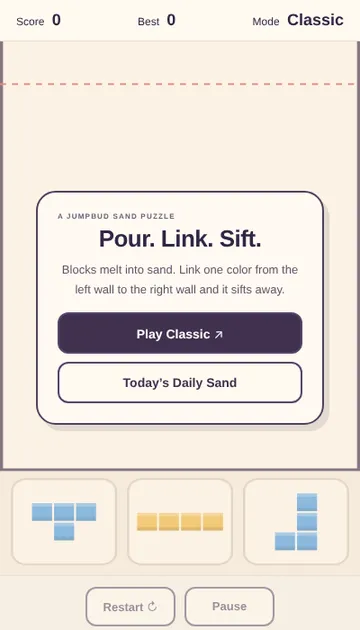
- Press Play Classic, or try Today’s Daily Sand for the same blocks everyone gets today.
- Drag one of the three blocks from the tray into the box. When you let go, it pours from the top and melts into sand.
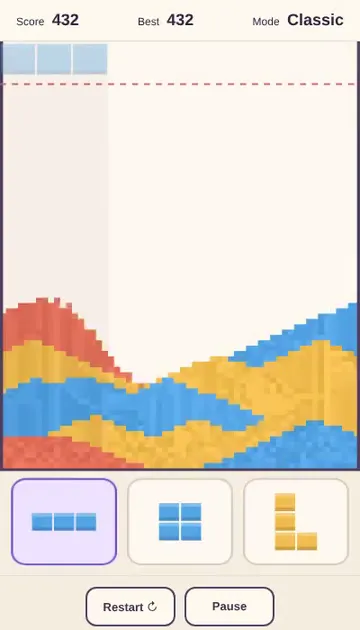
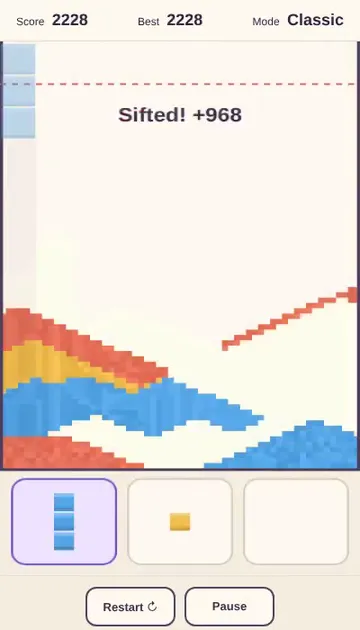
- Sand of one color that reaches from the left wall to the right wall sifts away. Bigger bands score more, and quick back-to-back sifts build a chain bonus.
- Keep the sand below the dashed red line. When the pile settles above it, the round ends and your best score is saved on this device.
Tips for Sift Stack
- After anchoring a color to one wall, leave space in the middle for a wide block from the tray. A horizontal bar can bridge a shallow gap with one pour.
- Watch where grains settle before choosing the next block. If the middle slopes away from the color you need, connect the band lower down along a flatter route.
Controls and devices
- Phone and tablet: Drag a block up into the box and release, or tap a block and then tap a spot in the box. Blocks lift above your finger so you can see where they will land.
- Mouse: Click and drag a block into the box, or click a block and click where it should pour.
- Keyboard: Press 1, 2 or 3 to pick a block, the arrow keys to aim, Space or Enter to pour, and P to pause.
Build bands, not towers
Sand slides off steep piles, so a block dropped in one place spreads into a low mound. Pour each color next to sand of the same color, working outward toward both walls, and the colors settle into long bands you can complete.
Use the walls
A band only clears once it touches both walls. Blocks poured against the left or right edge anchor a color to that wall; then a few pours across the middle finish the link. Wide pieces like the four-long bar are great for closing a gap in one go.
Read the tray before you pour
You always see all three blocks you have left. If two of them share a color, plan where that color is heading before you use the first one. New colors join as your score grows, so set up long bands early while there are only three.
Daily Sand and challenge links
Daily Sand gives every player the same block order for the day and starts a new one at local midnight. Copy a Daily result to share your score with its dated link, or use Challenge a friend after any round to deal the exact same blocks you just played.
Gameplay preview
Sift Stack FAQ
Is Sift Stack hard? Where should a beginner start?
Start with Classic. Every round begins with three sand colors; a fourth joins at 1,500 points and a fifth at 4,000, so build long bands early while there are only three. You always see the three blocks in your tray before you pour.
How do I clear sand in Sift Stack?
Make one color of sand touch both the left and right walls in a single connected band. The whole band, including any curves and diagonal links, sifts away at once.
When does the game end?
The round ends when settled sand stays above the dashed red line near the top of the box. You can also run out of room if a block has no space to pour at the top.
Can I play Sift Stack on my phone?
Yes. It runs in mobile browsers on iPhone and Android with drag or tap controls, and in desktop browsers with a mouse or keyboard. Nothing to download or install.
Is there a daily puzzle?
Yes. Daily Sand gives every player the same block sequence for a given date and changes at local midnight. Your best daily score is saved on your device.
Is Sift Stack the Sand Blocks app?
No. Sift Stack is an original JumpBud game with its own rules, code and art. It is a free browser game and is not affiliated with any app-store game.
Can I challenge a friend with the same blocks?
Yes. After any round, Challenge a friend shares a link that deals the exact same blocks you just played, and Today’s Daily Sand gives every player the same block order for the day.
More games like Sift Stack
All games
Petal Decant
1–4 minOne drop at a time, bring a little garden into bloom.
Arrow Untangle
1–3 minTap an arrow. If the way is clear, it slides out.
Mole Sweep
1–10 minRead the numbers, flag the moles — never a forced guess.
Nonobud
2–8 minRead the numbers, fill the squares, reveal the picture.
Sift Stack is an original JumpBud game. Its rules, code, sand art and music were made for JumpBud; it is not affiliated with any app-store sand puzzle.